Void and Revise
Two related actions for invoices that need to be undone or corrected.
- Void — cancel an unpaid invoice. The customer can no longer pay it; the invoice stays in the dashboard as a historical record.
- Revise and reissue — void an existing invoice AND create a new draft pre-filled with its line items, ready to be edited and re-finalized.
Who this is for
Hosts who sent an invoice they shouldn't have, or sent one with incorrect line items / amounts that need to be corrected.
Voiding an invoice
Voiding cancels an open (unpaid) invoice. Once voided, the customer's payment page returns a "this invoice is no longer valid" message, and no further action can be taken on the invoice.
When to void
- Sent the invoice to the wrong customer. Void and create a new one against the right contact.
- Amount is wrong and the customer hasn't paid yet. Use revise- and-reissue instead (see below) to keep audit continuity.
- Customer asked to cancel before paying. Void to close the invoice cleanly.
When NOT to void
- The invoice is paid. Void doesn't work on paid invoices. Use refunds to return the customer's money instead.
- You want to edit and resend. Use revise-and-reissue (below) instead of void.
Step-by-step
- Open the invoice from the Invoices dashboard.
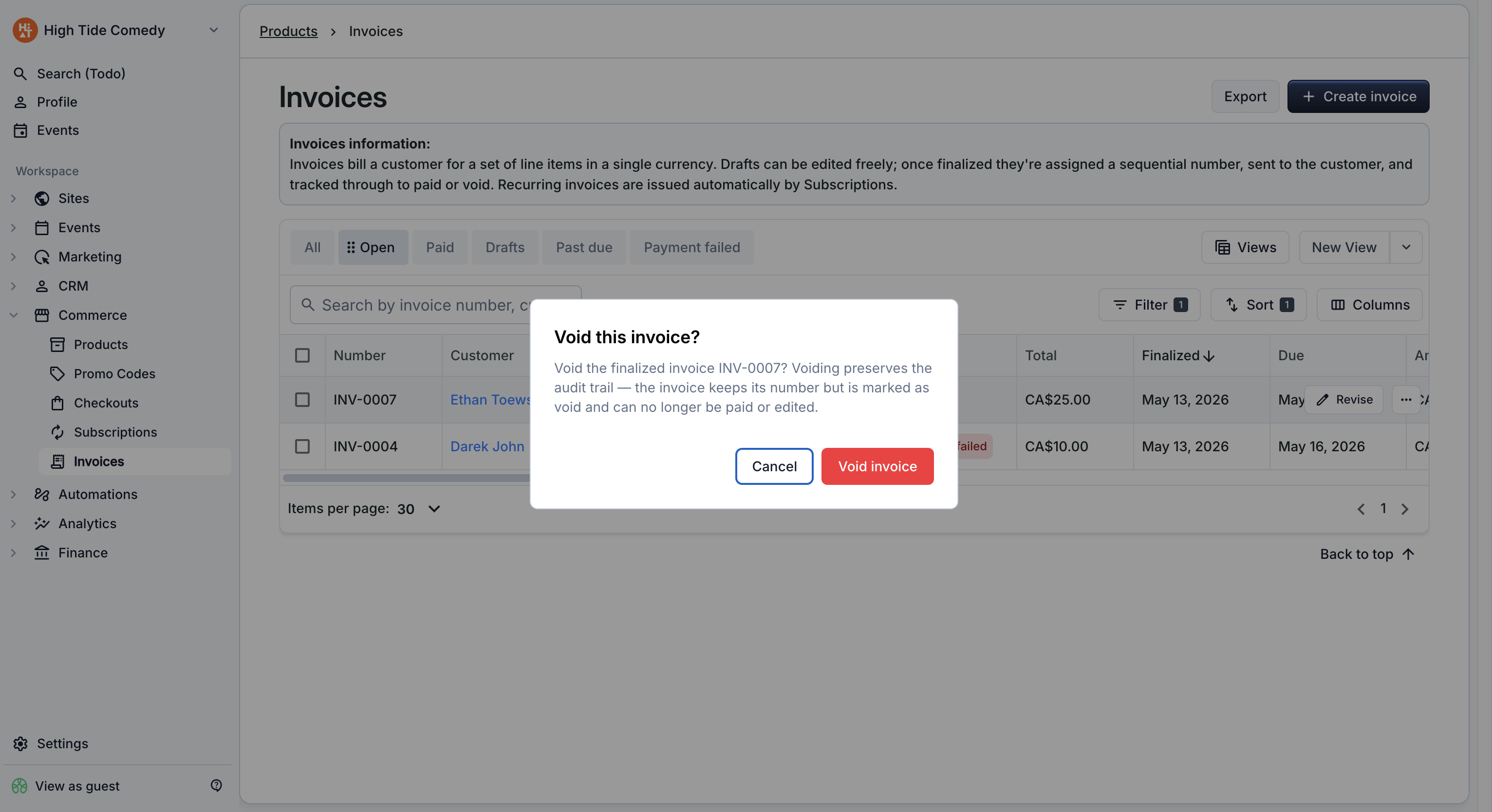
- Click Void invoice in the side-peek's action menu.
- Optionally add a reason — this is for your records and isn't shared with the customer.
- Confirm.
The invoice status updates to Void instantly. The customer's payment page disables, and the invoice email (if you re-checked their inbox) is now stale — the Pay button on the email leads to the voided state.
What void does NOT do
- It does not refund money. Void only works on unpaid invoices. If money has changed hands, you're in refund territory.
- It does not delete the invoice. The invoice number is still used (numbers don't recycle); the invoice stays in your dashboard under the "Void" status for audit purposes.
- It does not notify the customer. The customer won't get an automatic "this was voided" email. If they need to know, message them out-of-band.
Revise and reissue
When a finalized invoice has the wrong line items, customer details, or total, you can't edit it directly — the data is locked. Instead, use revise and reissue:
- The original invoice is voided.
- A new draft is created, pre-filled with the same line items and customer.
- You edit the new draft as needed.
- You finalize the new draft when ready.
The new invoice gets the next number in your sequence; the voided original stays in the dashboard as a historical record so your audit trail is intact.
When to revise
- Wrong amount or quantity on a line item.
- Missing or wrong tax rate.
- Wrong customer contact info.
- Customer requested a change to what they're being billed for.
Step-by-step
- Open the invoice from the Invoices dashboard.
- Click Revise and reissue in the side-peek's action menu. The creation drawer opens immediately, pre-filled with the original invoice's customer, line items, tax rate, due date, and notes. The original is voided at the same moment the new draft is created.
- Make your edits.
- Click Finalize and send to issue the corrected invoice. The customer receives a new invoice email referencing the new invoice number.
What the customer sees
The customer receives two emails in close succession when you revise:
- (Optional) A notification email that the previous invoice has been voided — only sent if your workflow has a void notification enabled.
- A fresh invoice email for the new draft, exactly like any other finalize. The new email references the new invoice number, so the customer can tell it's not the same as the old one.
To prevent confusion, briefly mention the correction in your follow-up — "We sent a corrected invoice that supersedes the previous one" or similar.
After payment: refunds, not revise
Once an invoice has been paid, revise-and-reissue is no longer available. The money has moved, and the only way to undo it is through refunds.
If you need to bill the customer a different (smaller or larger) amount after they've paid:
| Scenario | What to do |
|---|---|
| Customer overpaid (they owe less than they paid) | Issue a partial refund for the difference. |
| Customer underpaid (they owe more than they paid) | Send a new invoice for the additional amount. |
| Wrong items entirely | Full refund, then send a new invoice for the correct items. |
Voided invoices on the dashboard
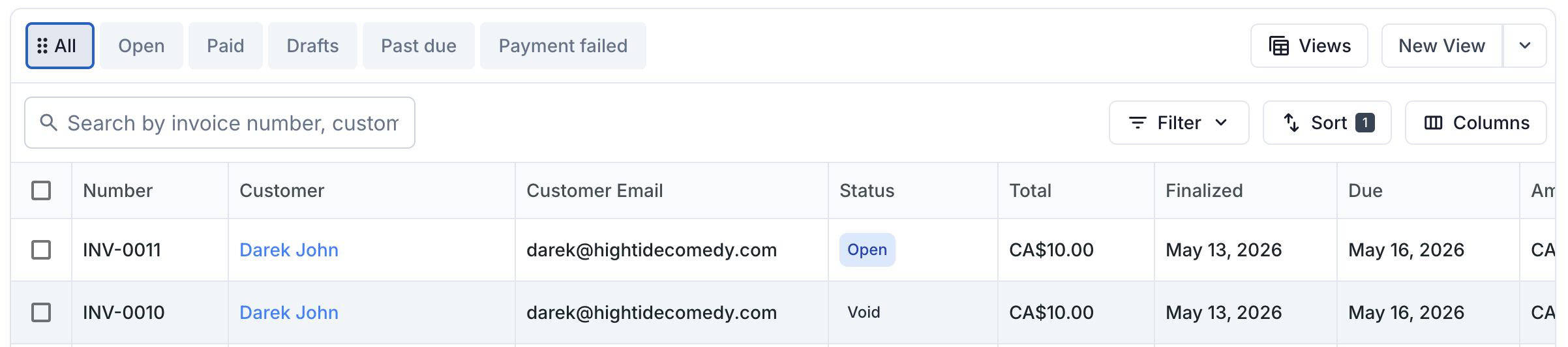
Voided invoices appear in the dashboard under the Void filter or All view. They display:
- A grey "Void" status chip.
- The original number (numbers are never recycled).
- The original total (so the historical record is preserved).
- The void reason in the side-peek (if you entered one).
Voided invoices don't count toward your revenue numbers and aren't included in financial exports by default.
Troubleshooting
I voided the wrong invoice. Can I undo it?
Voiding is not reversible. To re-bill the customer, either use revise-and-reissue from the voided invoice (which makes a new draft from its data), or create a brand-new invoice from scratch.
Why can't I void this paid invoice?
Void only works on open or payment_failed invoices — states where no money has been collected yet. Paid invoices need to go through refunds to reverse the funds flow.
Revise and reissue brought back ALL the line items. I only want to change one.
That's by design — revise duplicates everything so you don't have to re-enter the rest. Edit the line you want to change and leave the rest alone. The new draft is yours to modify however you want before finalizing.
What happens to tickets on a voided invoice?
If the invoice was open (unpaid) when you voided, no tickets had been issued yet — there's nothing to clean up. If you voided through revise-and-reissue from a paid invoice, the tickets stay valid on the new invoice once it's paid. (You'd have refunded first to get to that state.)
Will the customer see the void on their end?
Not automatically. The void doesn't send an email. The customer's existing invoice email still has the Pay button, but clicking it lands them on a "this invoice is no longer valid" page. If you've reissued, you can share the new invoice's link directly so they pay the corrected one.